
Installing MyZeekr Cam on the car screen
Live Camera and Recorded Clips need a small companion app, MyZeekr Cam, running on the car's own screen. It is installed once through Zeekr's App Lab. Every step below is a photo of the car screen, in order.
 1
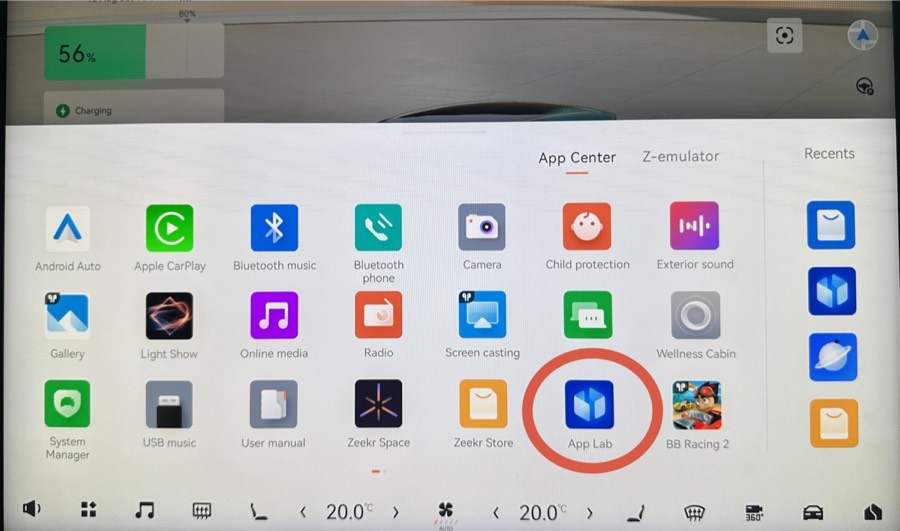
1Open App Lab
On your car's screen, open the App Center and find App Lab (the blue icon). It's the only place the 7X lets you install extra apps.
 2
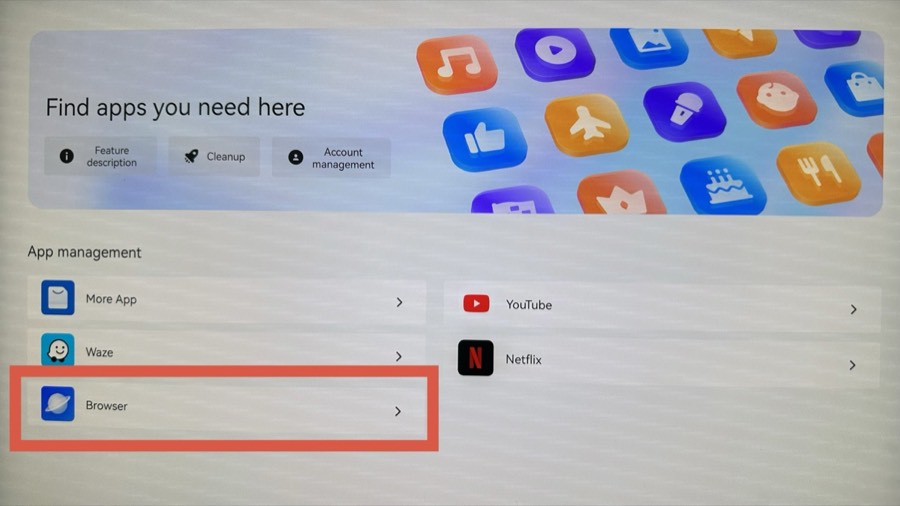
2Open the Browser
Inside App Lab, scroll down to App management and open Browser (the blue planet icon).
 3
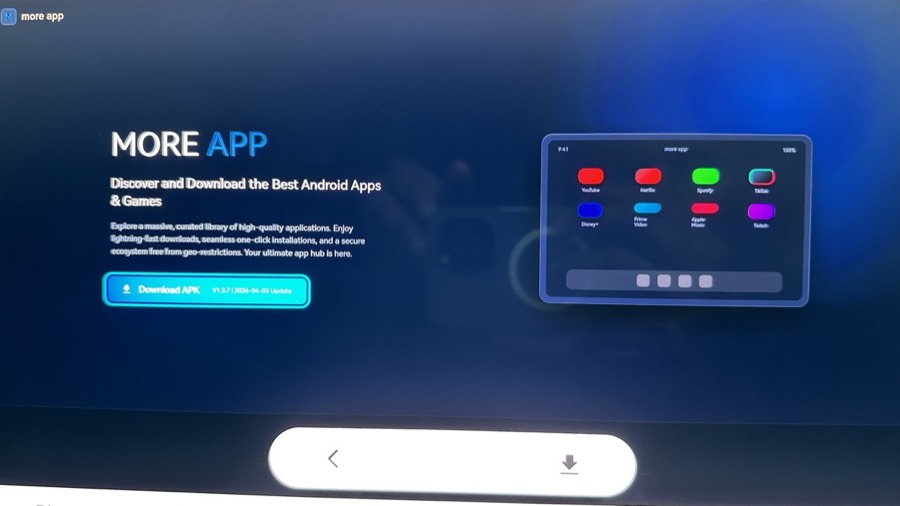
3The Browser's start page
The first time you open the Browser you land on this “more app” page. It isn't locked to it — if you ever navigate away, tap the previous-page (back) icon at the bottom to return here.
 4
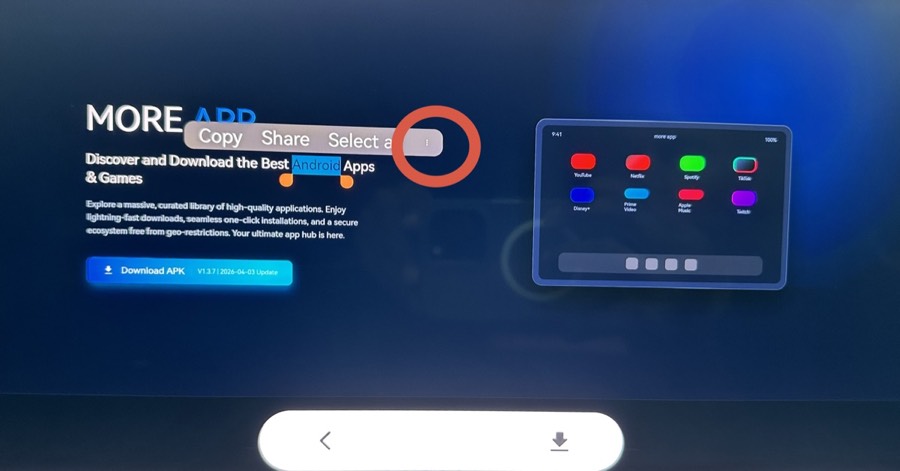
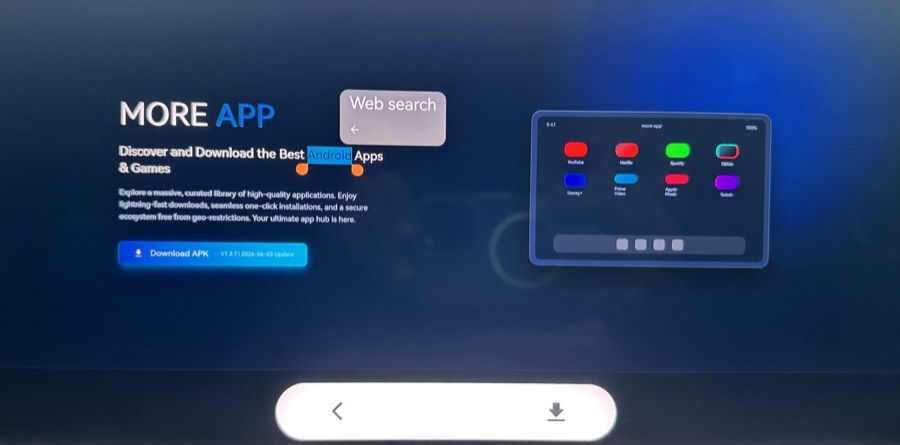
4Long-press a word
Long-press any word on the page. A small menu appears (Copy, Share, Select all). Tap the three dots (⋮) at the end for more options.
 5
5Tap Web search
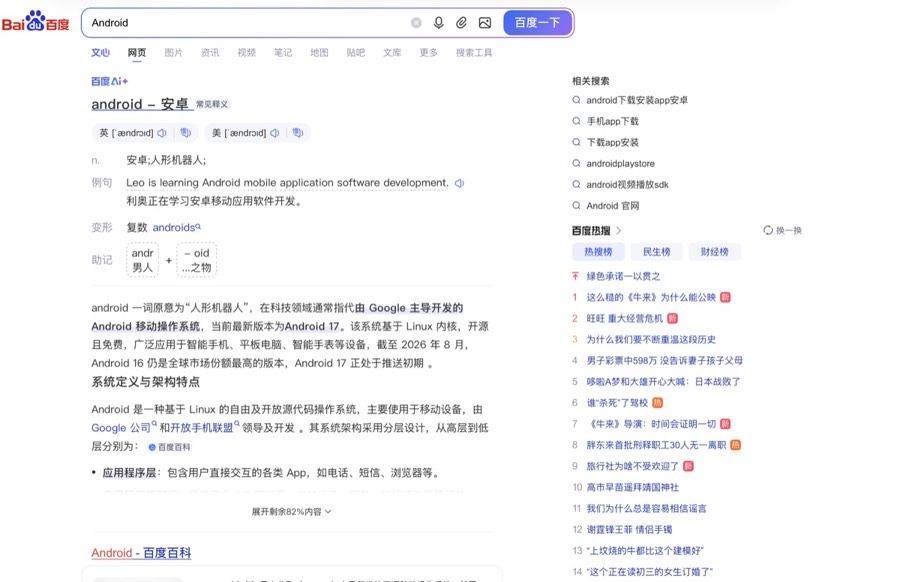
The menu now shows Web search. Tap it — this opens Baidu, a normal search engine you can browse freely.
 6
6Baidu opens
Baidu (a Chinese search engine) opens with your word already searched. You're now on a normal browser page — from here you can search for anything.
 7
7Open the MyZeekr site
In Baidu, search for api.appventureai.com. A notice appears at the top of the results — tap the api.appventureai.com link inside it to open the MyZeekr site.
 8
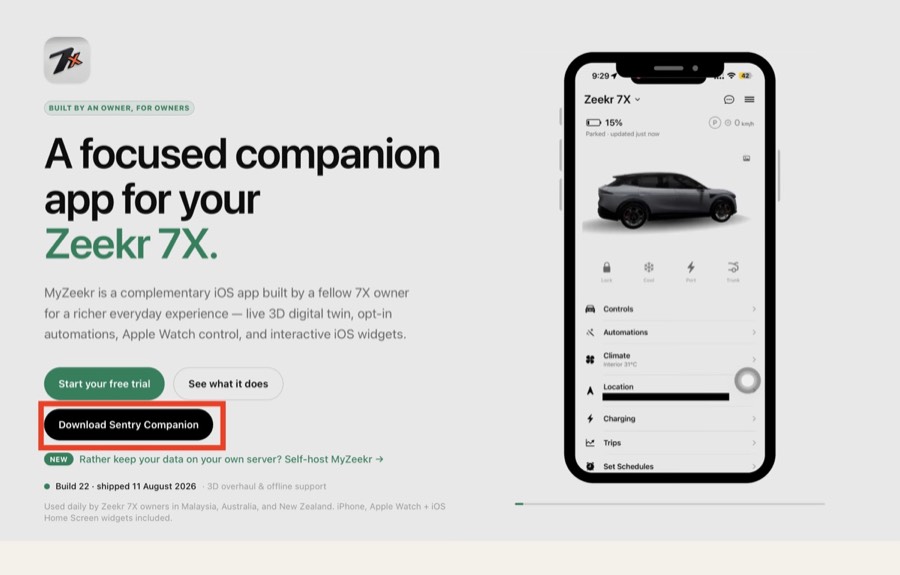
8Tap Download Sentry Companion
On the MyZeekr homepage, tap the black Download Sentry Companion button. It opens the companion app's download page.
 9
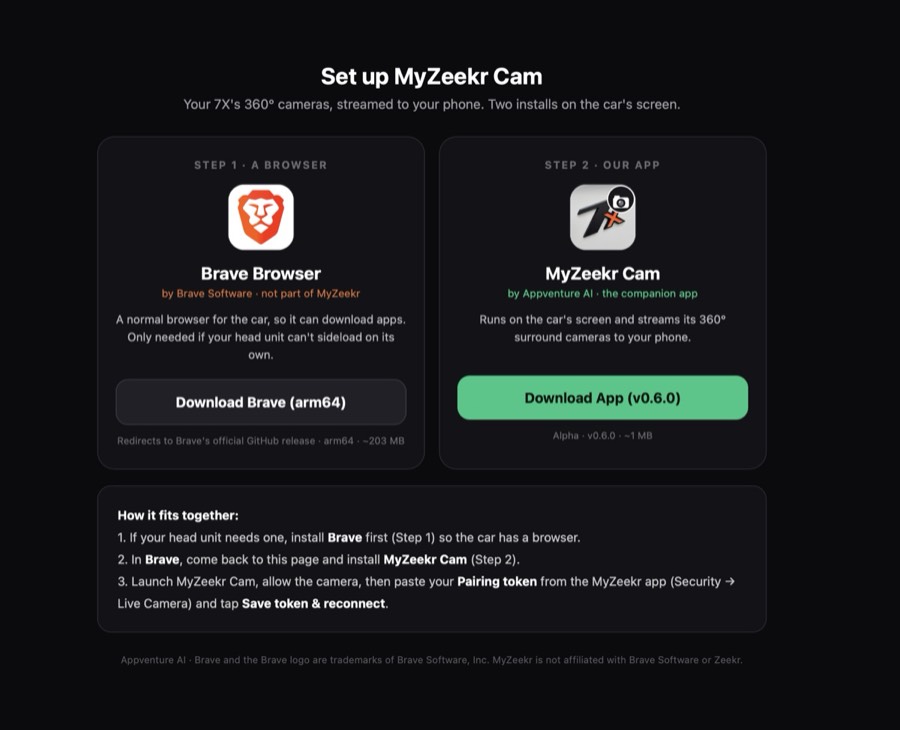
9Choose what to install
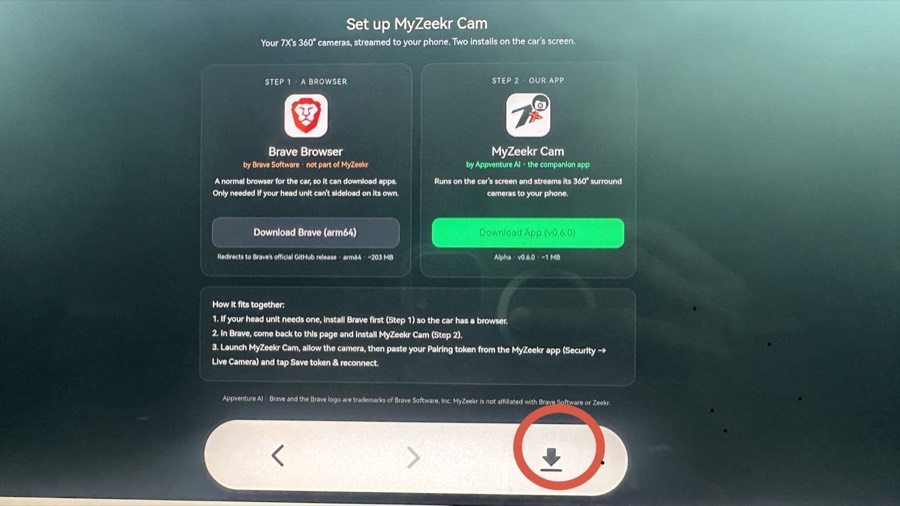
You'll see two cards. Brave (Step 1) is optional — only if you want to sideload other apps later; it links to Brave's own GitHub. For the camera, just tap Download App under MyZeekr Cam (Step 2).
 10
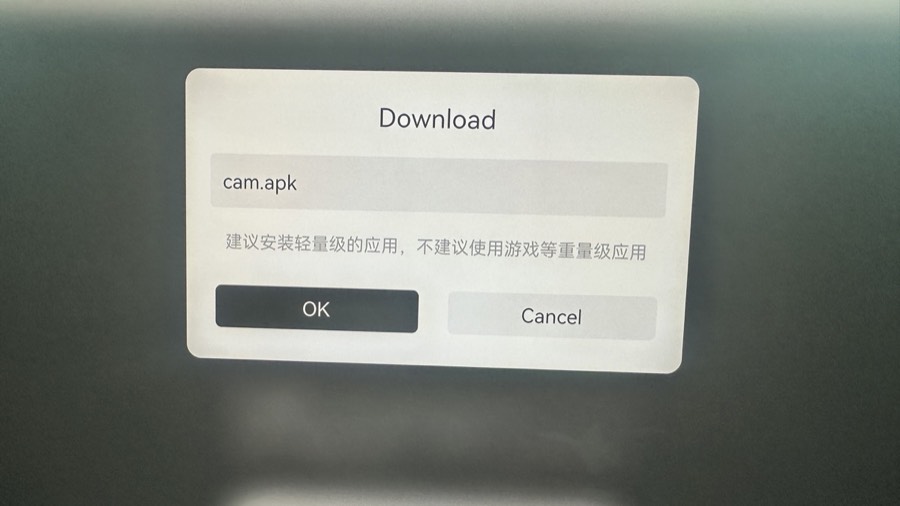
10Confirm the download
A Download box appears for cam.apk (the MyZeekr Cam app). Tap OK to download it.
 11
11Open your downloads
Back in the Browser, tap the download icon (↓) at the bottom to see the file you just downloaded (cam.apk).
 12
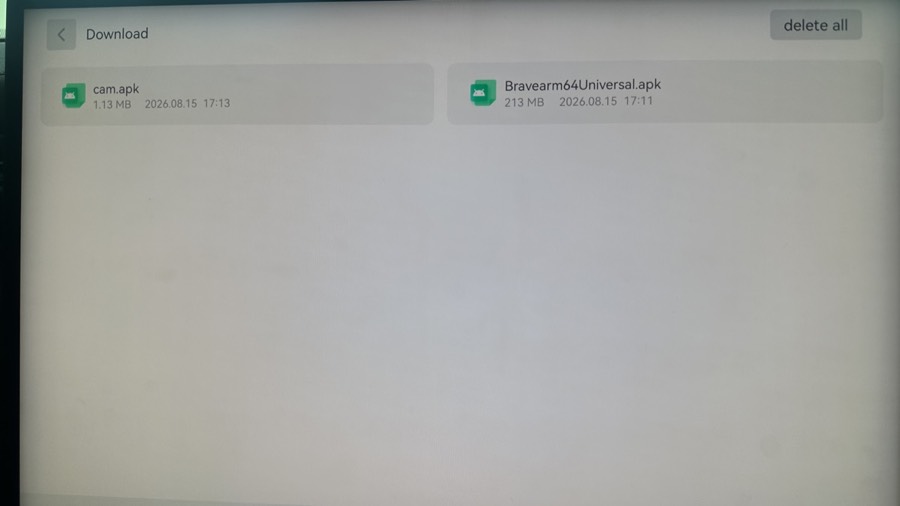
12Tap cam.apk
In the Download list, tap cam.apk (about 1 MB). If you also downloaded Brave, that's the separate 200 MB file — you only need cam.apk for the camera.
 13
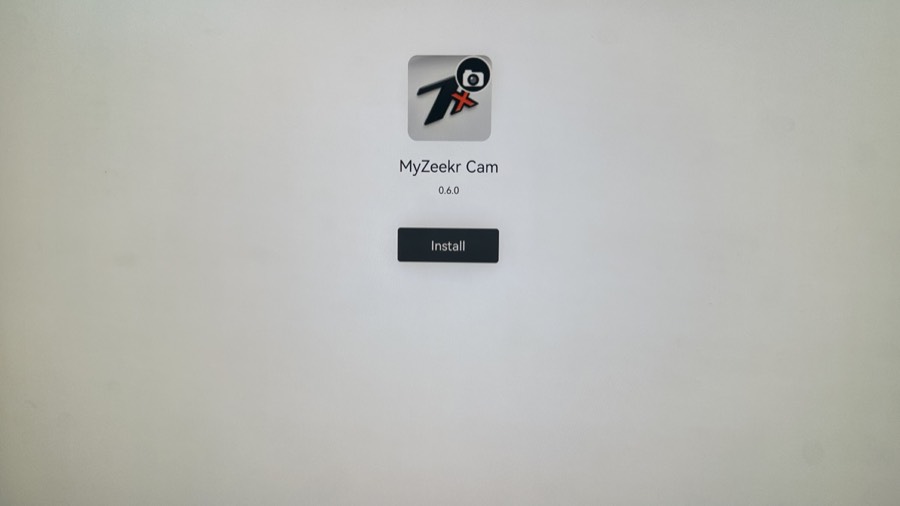
13Install it
Tap Install. It can take a few back-and-forth taps if the system asks again.
 14
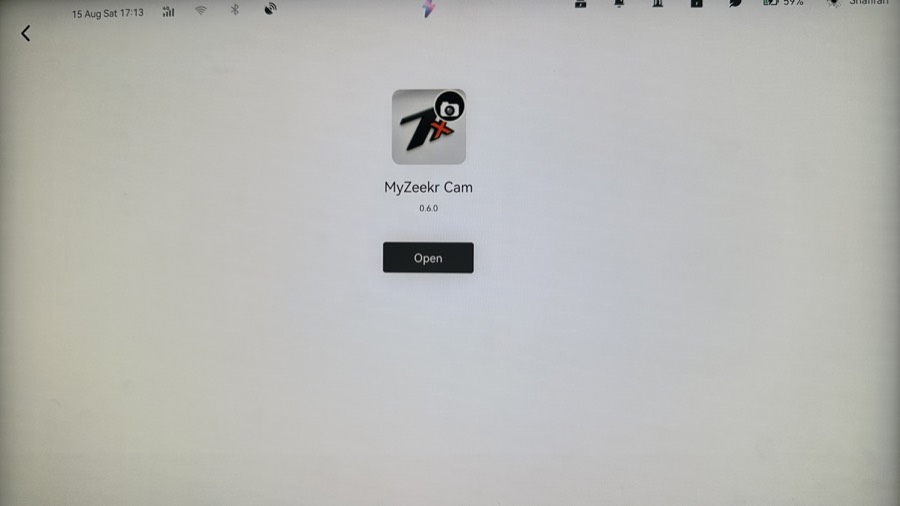
14Open it
When it's installed, tap Open to launch MyZeekr Cam. Allow the camera permission when asked.
 15
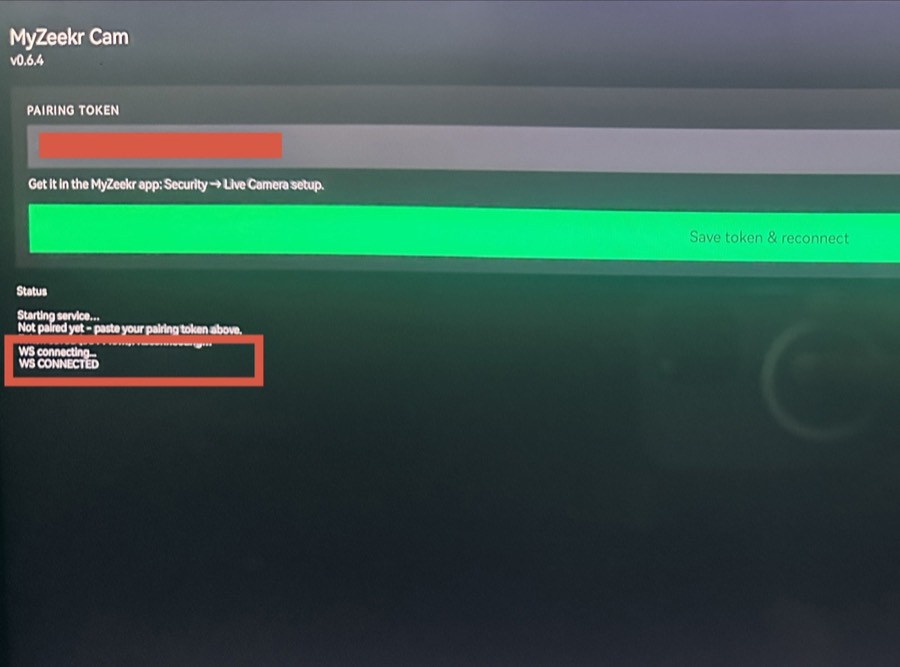
15Pair your car
In MyZeekr Cam, paste the token below into the Pairing token field and tap Save token & reconnect. Watch the Status log at the bottom: when it reads “WS CONNECTED” you're paired and the camera is live. Come back to Live Camera here.
The same text lives inside the app: open the menu (top-right) → How to use.