Honestly wish the official Zeekr app had these built in. Cabin overheat is the one I use most, walking back to a cool car after lunch in this heat, big difference.
Zeekr 7X owner
Malaysia
 BUILT BY AN OWNER, FOR OWNERS
MyZeekr is a complementary iOS app built by a fellow 7X owner for a richer everyday experience — live 3D digital twin, opt-in automations, Apple Watch control, and interactive iOS widgets.
NEWRather keep your data on your own server? Self-host MyZeekr →Used daily by Zeekr 7X owners in Malaysia, Australia, and New Zealand. iPhone, Apple Watch + iOS Home Screen widgets included.
Real Zeekr 7X drivers, in their own words.
Honestly wish the official Zeekr app had these built in. Cabin overheat is the one I use most, walking back to a cool car after lunch in this heat, big difference.
Zeekr 7X owner
Malaysia
Small thing but I love that the home screen and widget show my actual car. Same paint, same wheels.
Zeekr 7X owner
Australia
Auto Sentry is a godsend. Don't have to remember to turn it on every time I leave the car anymore, it just handles itself.
Zeekr 7X owner
New Zealand
Same features as the app — explained the way they actually work. Read the full how-to guide →
Doors swing, windows roll, sunshade slides, charge port lifts — all driven by what your car is actually doing.
Auto Sentry, Cabin Overheat Protection, Auto Close Sunshade — all opt-in, transparent, manual-override safe. More on the way.
All the everyday cloud controls — over LTE, in under 5 seconds, with a banner showing exactly what's in flight.
Battery, Actions, Locate — with the same command-in-progress banner so the watch and phone stay in sync.
One-tap Lock, Unlock, Climate, Charge Port, Frunk — straight from your home screen. Red Sentry dot when armed.
All 429 pages of the official Zeekr 7X manual built in. Search anything. Works offline. Remembers your last page.
Look through all four 360° cameras from anywhere, flat or raw lens, and save shots straight to Photos. Needs the small MyZeekr Cam companion on the car's screen.
Tap record while you watch Live Camera and the clip is filed in the app, ready to replay or save.
Write your own message or pick from 20 built-in light designs and send it to the 7X's Stargate light curtain. AWD Performance trim only.
A proper dark theme for the whole app, with the 3D car lit like a studio spotlight in a dark void.
Every charging session logged with cost by location and charger type, plus a running estimate of the capacity your battery is holding.
Distance, energy and efficiency for every drive, and insights across all of them.
MyZeekr on the car's screen as an EV-charging companion: find chargers nearby, with live free and occupied stalls where the network reports them.
Ask Siri about your 7X or find it in Spotlight, answered instantly from the same data your widget shows.
Charging, automations, state changes and security alerts, each one its own switch, with a full history inside the app.
Next service countdown, brake and fluid warnings, and 12 V battery voltage in one place.
Every automation is opt-in. Nothing fires until you turn it on, and a 1–24 hour manual-override grace means the app won't fight you if you flip something by hand.
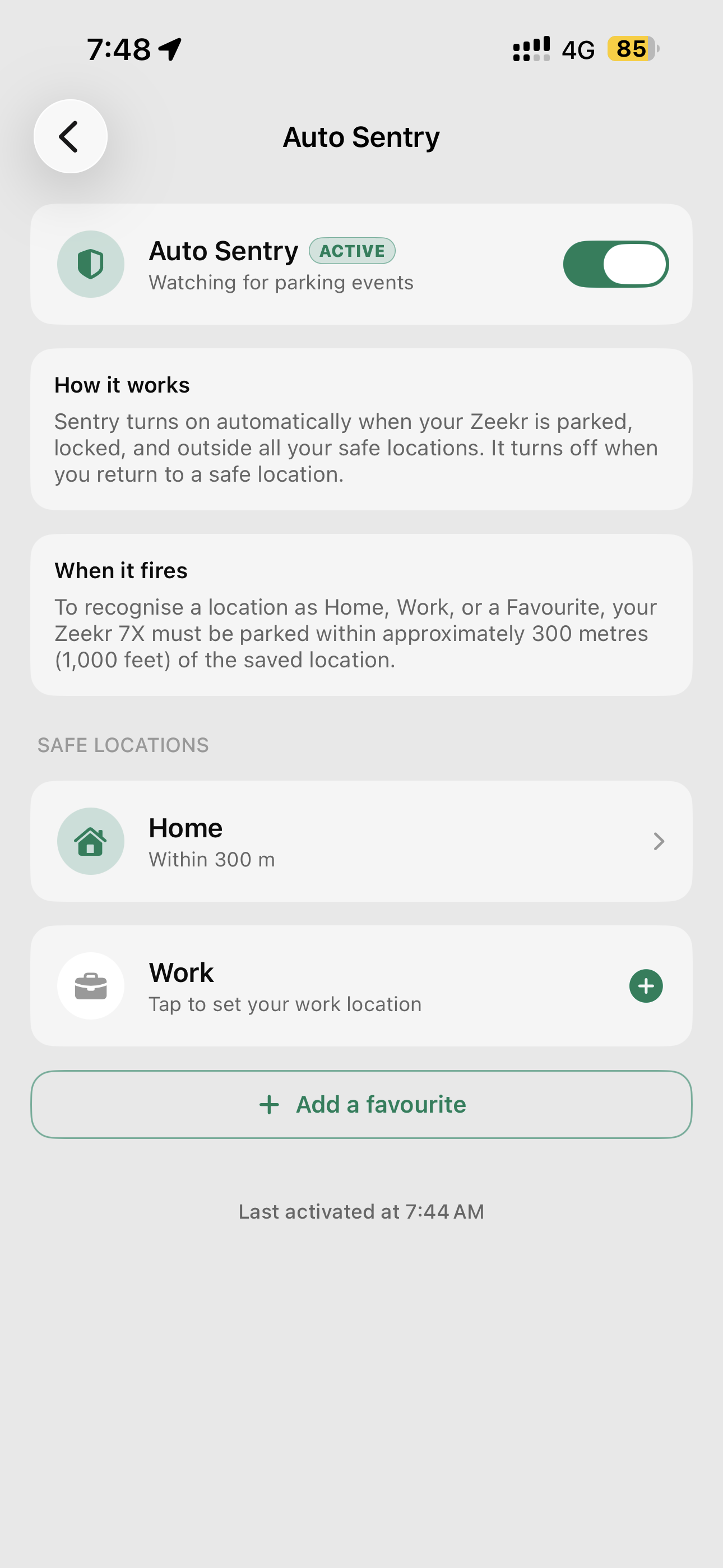
Used to be: every time you parked somewhere unfamiliar, you had to remember to flip Sentry mode on yourself. Now MyZeekr learns where home, work, and your favourite spots are — and arms Sentry the moment you park anywhere else. Disarms again when you come home.
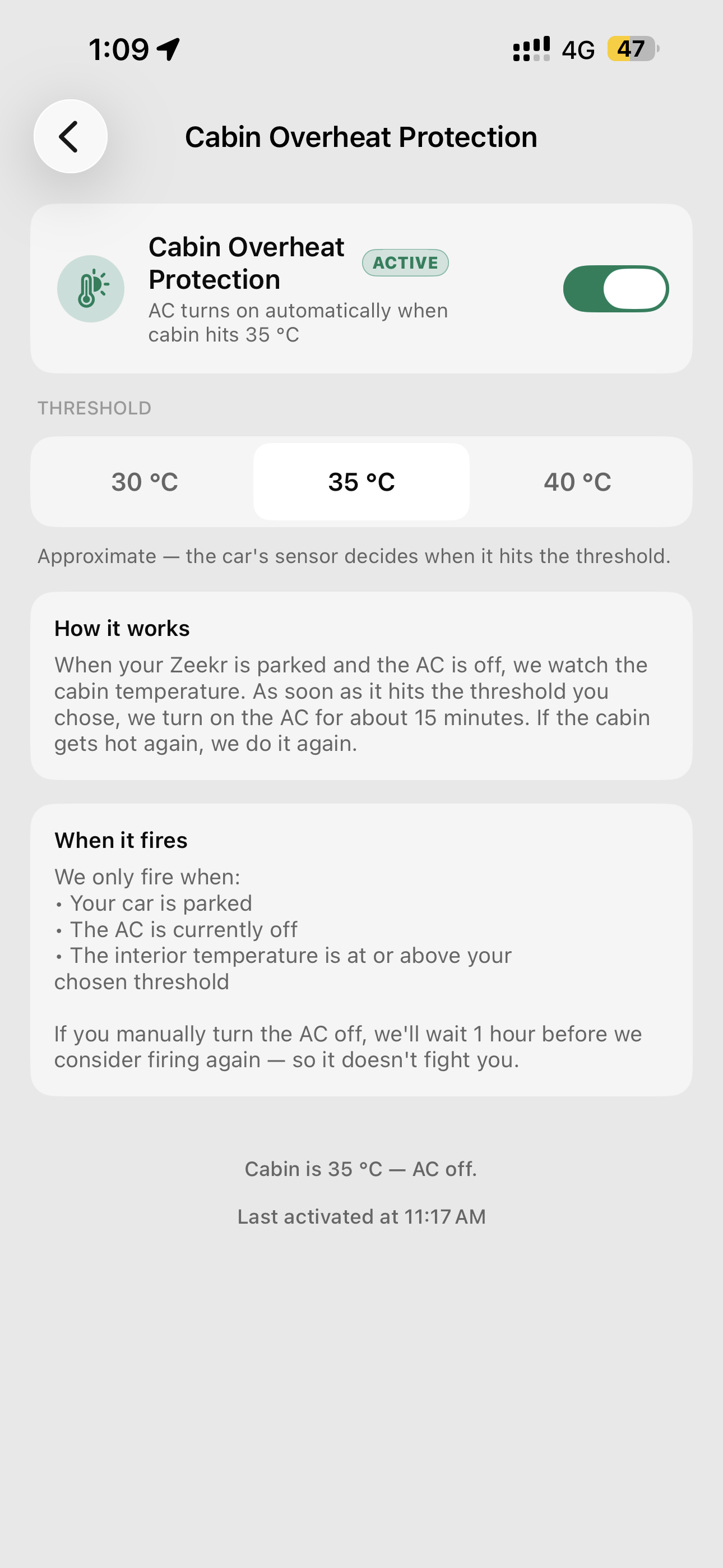
Used to be: walk back to the car after lunch, find a 45 °C cabin, then sit in the heat while the AC slowly catches up. Now you pick a comfort threshold; the moment the interior crosses it while you're parked, the auto-AC kicks in and preconditions the cabin. The car's already cool when you get there.
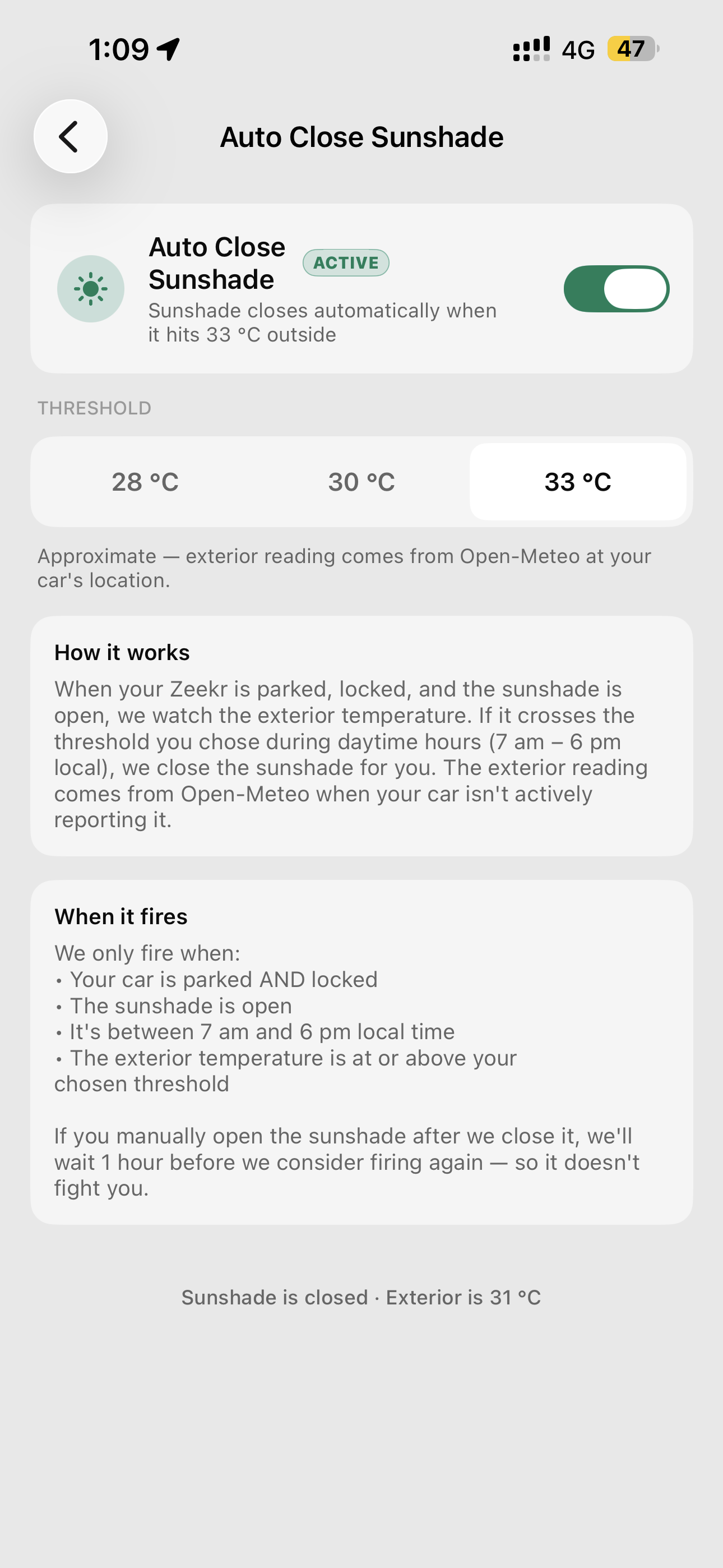
Used to be: park, walk away, realise hours later you left the panoramic sunshade open under the midday sun. Now we watch the outside temperature at your car's location and quietly close it the moment the heat crosses your threshold — even if you forgot.
Three sizes. The Medium and Large widgets get one-tap Lock, Unlock, Climate, Charge Port, and Frunk via Apple's App Intents — no app launch needed. A small red dot appears next to the battery percent whenever Sentry mode is on.
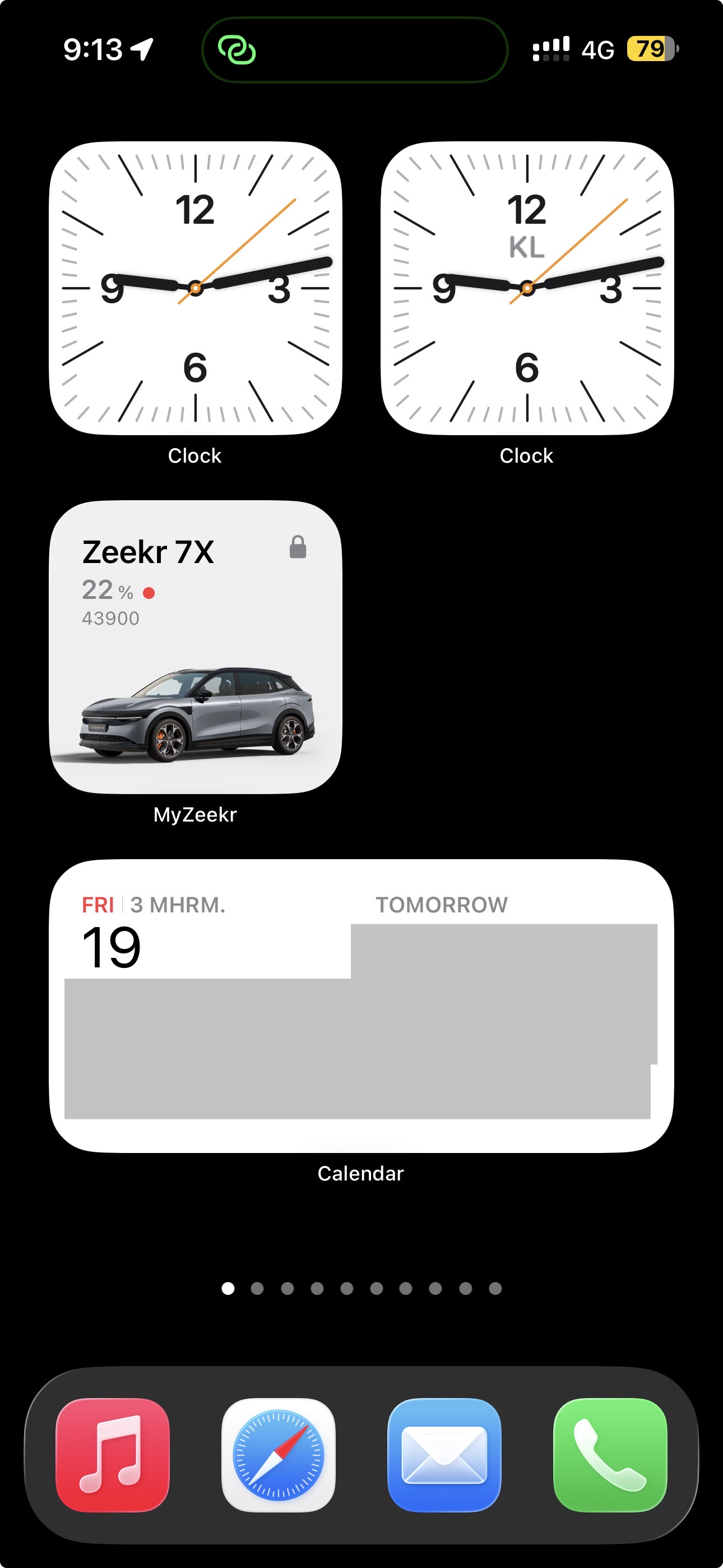
Glance-only. Battery percent, remaining range, and a lock badge in a 2 × 2 tile. Perfect for the corner of your home screen.
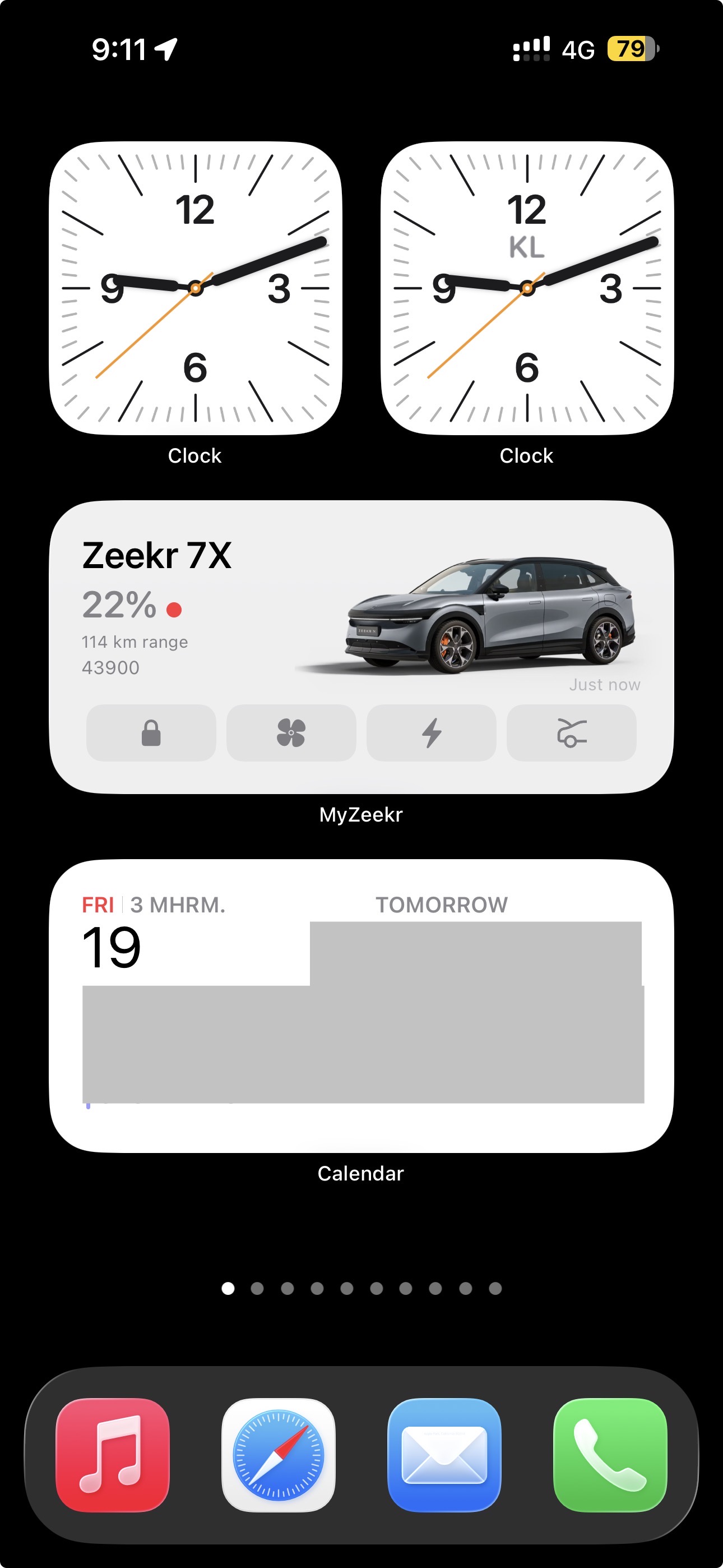
Battery, range, the car's name and a hero render across the top — plus four one-tap action pills: Lock / Unlock, Climate, Charge Port, and Frunk.
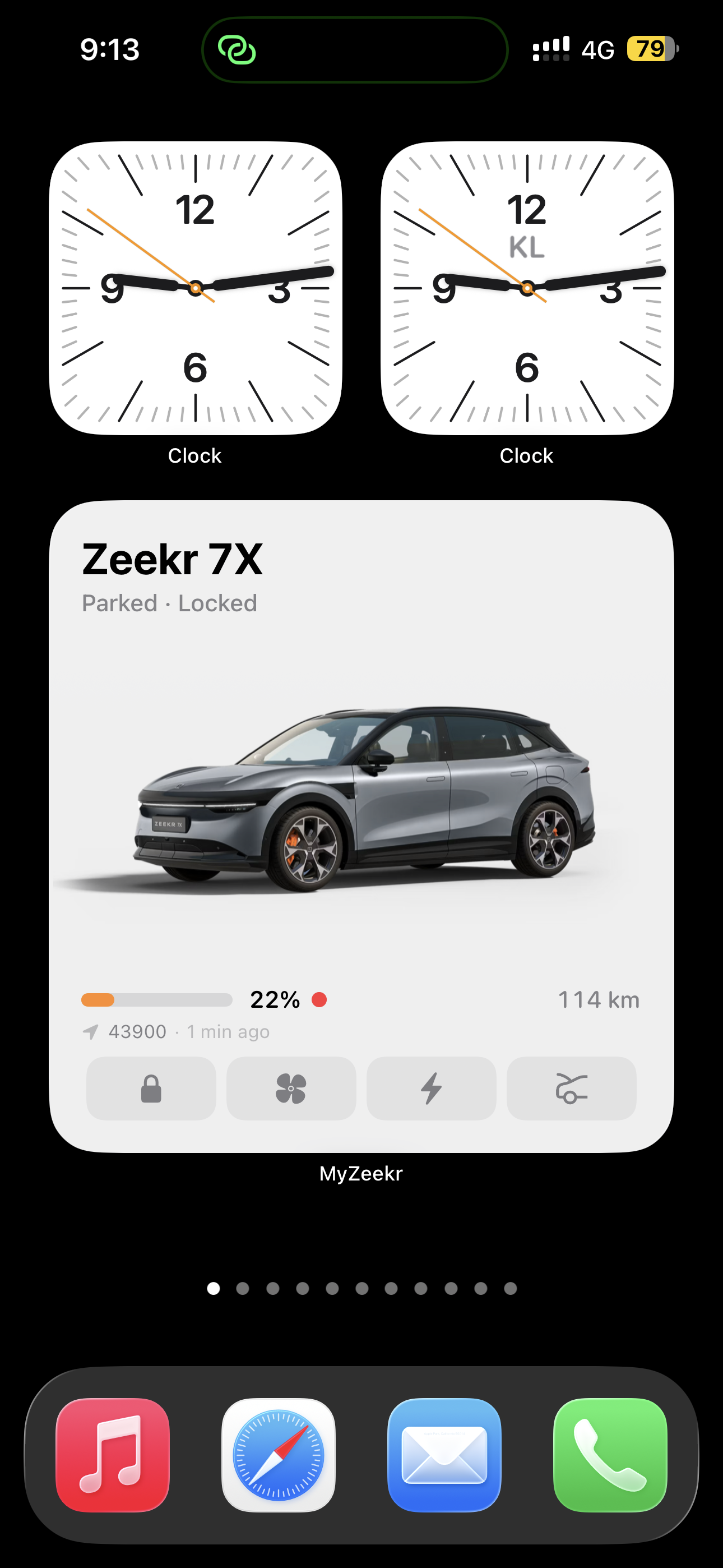
Everything Medium has plus a full battery bar, range with km label, parked/locked status, last-updated timestamp, and the same one-tap action row.
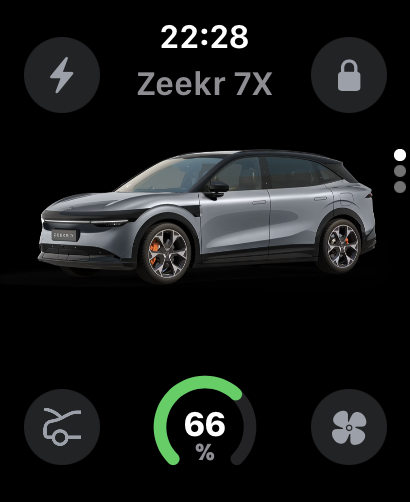
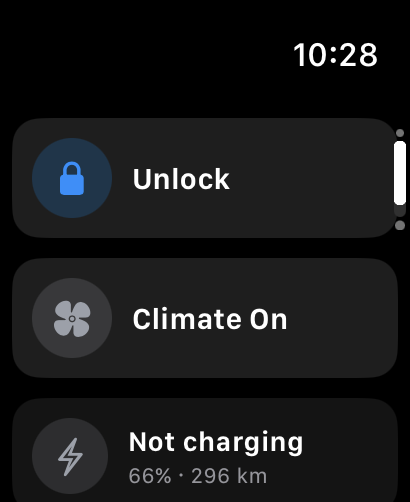
Three Crown-paged screens — Battery, Actions, Locate. Lock / unlock, climate, flash + honk are all one tap. Battery percent available as a complication on any watch face. The same command-in-progress pill shows up here so the watch + phone stay in sync.
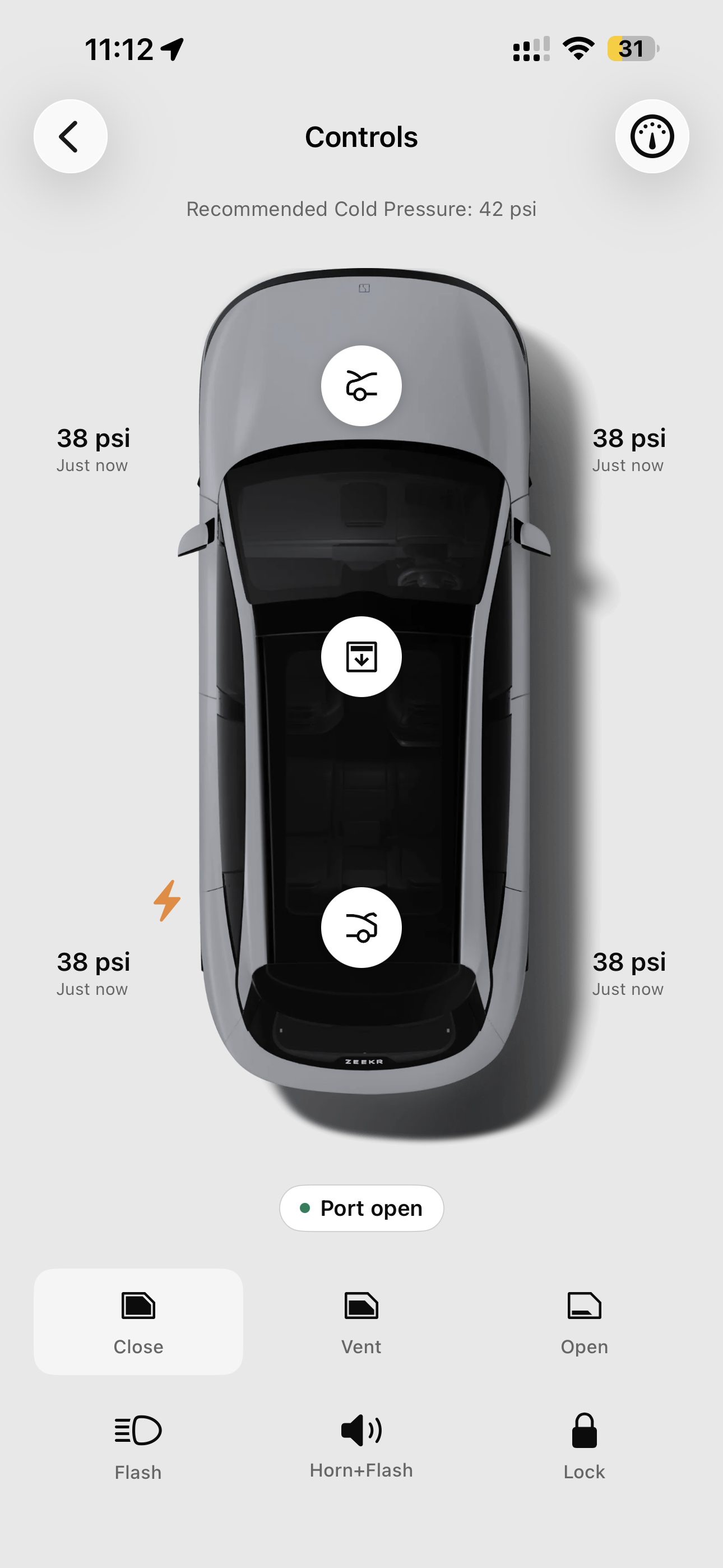
A top-down outline of your 7X with tappable icons around it — frunk, trunk, sunshade, charge port, lock. Tire pressures sit beside each wheel; the recommended cold pressure is right above. Same gesture you'd use if you were walking around the car deciding what to open.
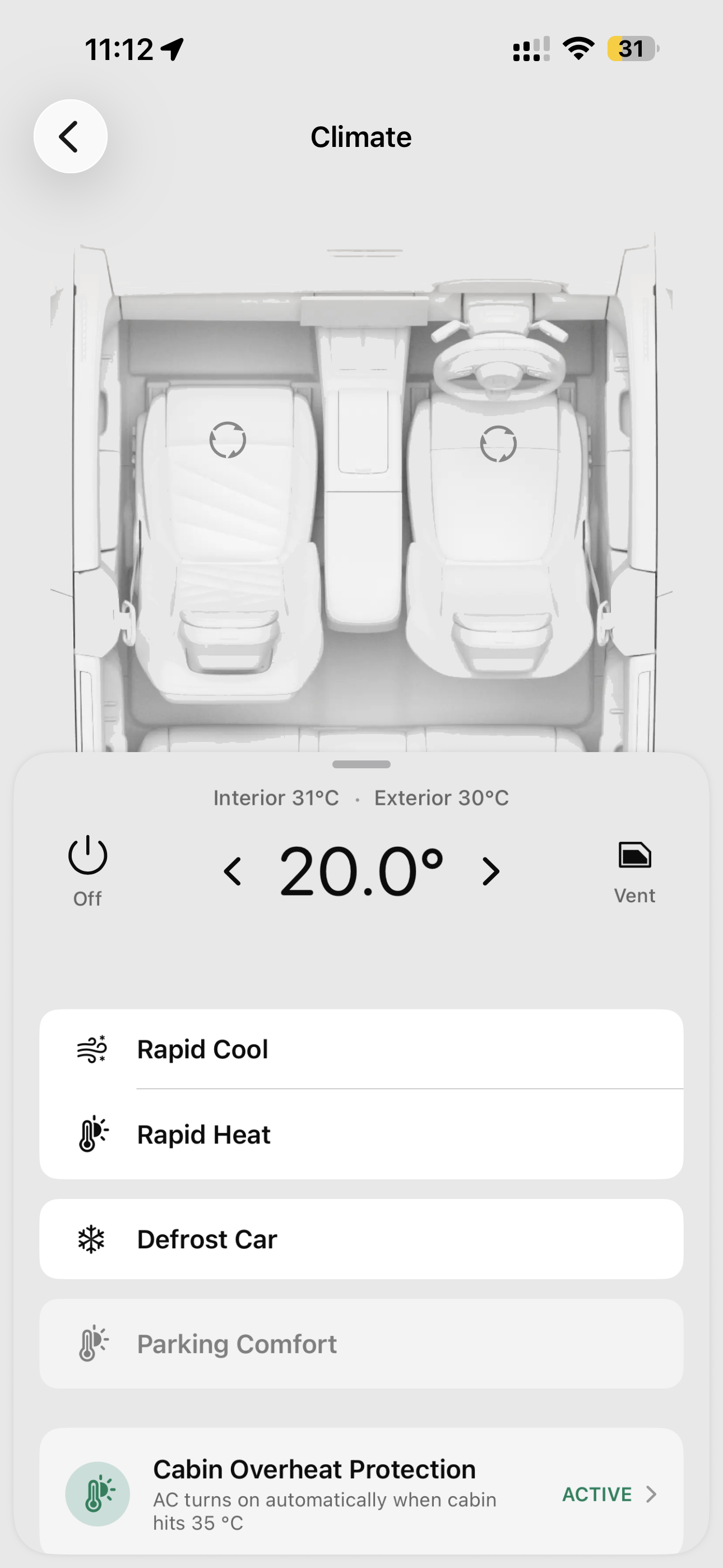
Tap the centre temperature to fire the AC at that setpoint and precondition the cabin before you reach the car; left / right arrows nudge by half a degree. The cabin shows live front + rear seat occupancy. Rapid Cool / Rapid Heat shortcuts crank the system to either extreme — auto-stop after 15 minutes per Zeekr's own HVAC logic.
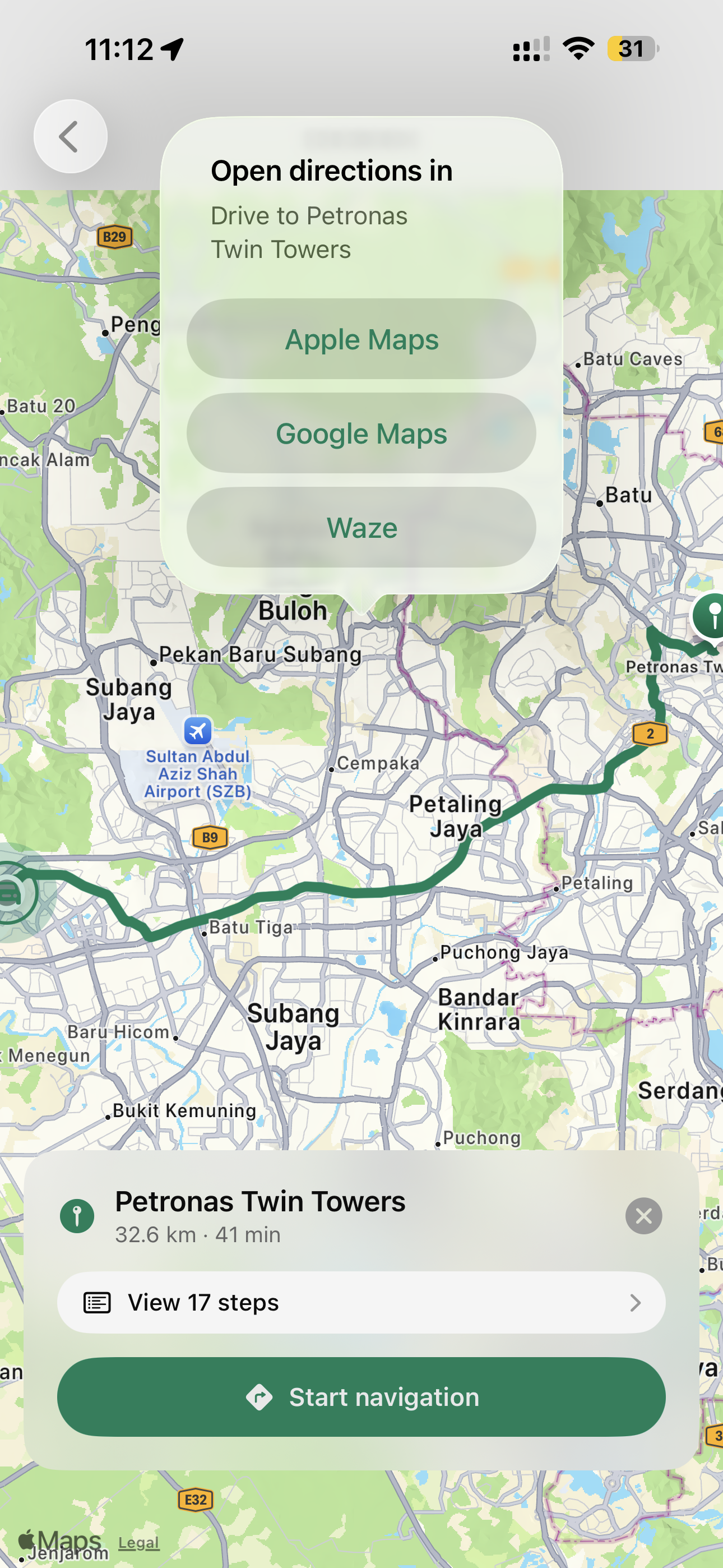
Live map of where your car is parked + a built-in route preview to anywhere you tap. Drawn route, ETA, step list — then hand off to Apple Maps, Google Maps, or Waze for the actual navigation. When the car is being driven, the speedo, heading, and route trail update every few seconds.
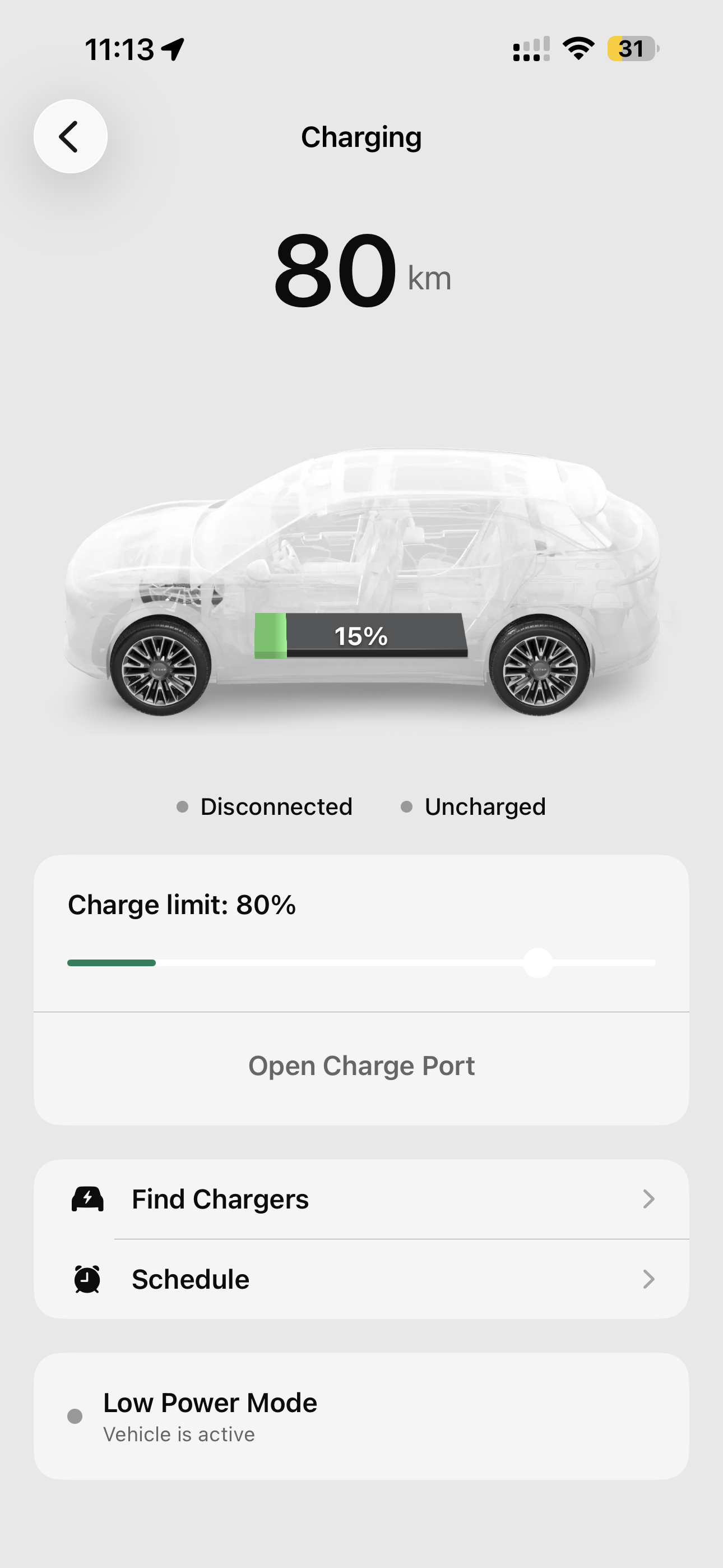
Your Zeekr 7X charging app, focused. Remaining range in big numbers, live state of charge inside an X-ray view of the car. We can also tell the cable's plugged in even if charging hasn't started yet — "Disconnected · Uncharged" tells you the state in two words.
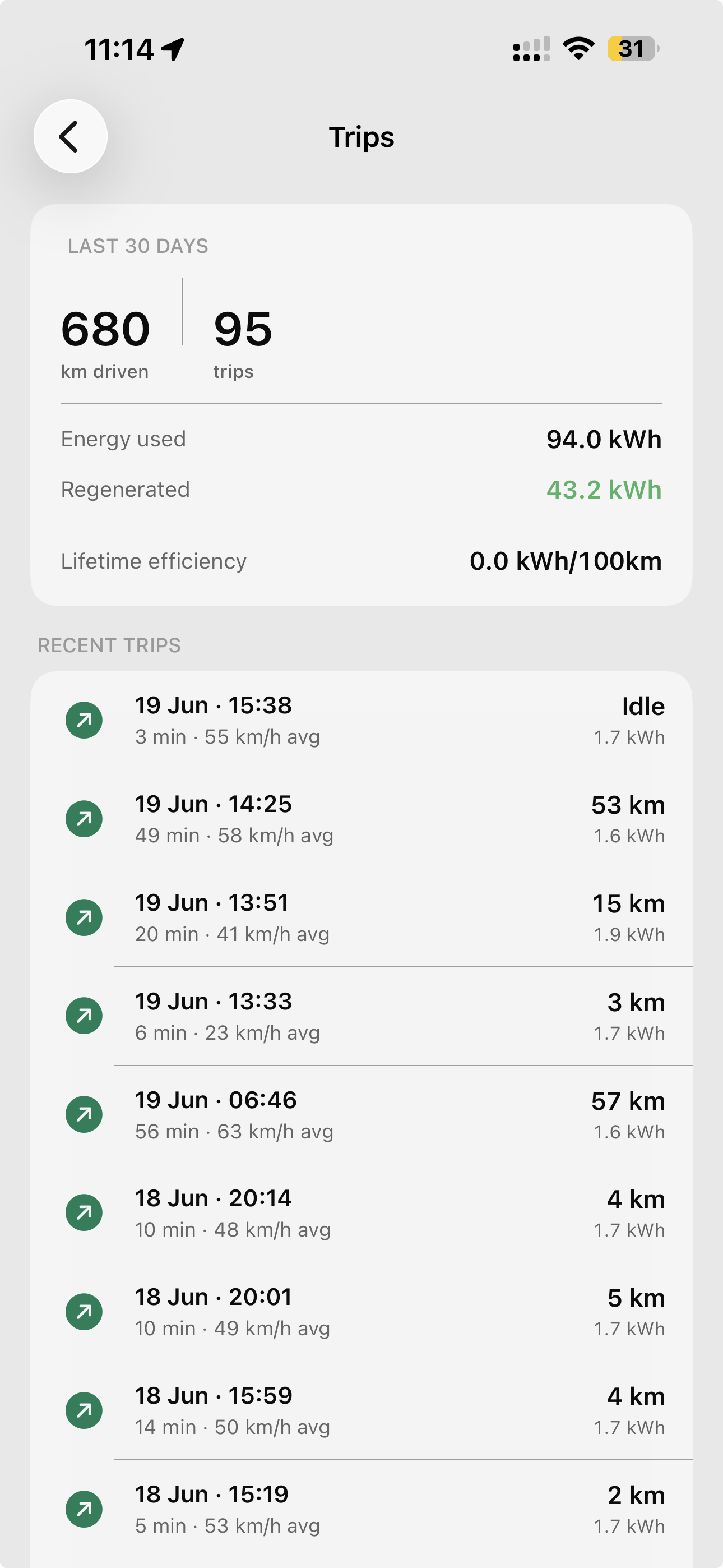
Your last 30 days of driving at a glance — total km driven, trip count, energy used, energy regenerated by the brakes. Below that, every individual journey with its date, duration, average speed, distance, and energy.
Everything 7X owners have asked us before installing — grouped so you can skip to the bit you care about.
No. MyZeekr is built by a fellow Zeekr 7X owner — not by Zeekr or Geely. It's a complementary iOS companion that talks to the same Zeekr cloud the official app uses, with a focused, owner-designed interface around what we actually need every day.
A handful of things, all built because the official app didn't.
Honest list — these limits are imposed by Zeekr's SEA cloud, not by us.
No. Install via TestFlight (one tap), sign in with your Zeekr login (same credentials as the official Zeekr app), and the app reads your car state and surfaces controls immediately. The 3D model, widgets, watch app, and notifications all configure themselves on first run.
No. Your phone signs you in to Zeekr directly. The backend only holds a short-lived authentication token that rotates roughly every 7 days — and you can revoke it any time by changing your Zeekr password. If our backend were ever compromised, no password leaks.
Your data is stored on a dedicated cloud server. MyZeekr does not include any analytics SDKs, advertising networks, or third-party data brokers. Your car's telemetry is used only to power the app — it is never sold, shared, or repurposed.
MyZeekr uses the same cloud APIs as the official Zeekr app — nothing is jailbroken and nothing is aftermarket-connected to your car. As a third-party application, MyZeekr operates within Zeekr's existing remote-access infrastructure.
The Zeekr 7X in right-hand-drive Southeast Asia and Oceania markets — Malaysia, Singapore, Thailand, Indonesia, Brunei, Hong Kong, Japan, Australia, New Zealand.
Yes. MyZeekr is designed for RHD markets — door, seat, mirror, and notification labels all reflect the correct side of your physical car.
Not yet. Building Android well would mean re-doing the iOS polish layer on a different platform — possible, but not in the next 12 months. If you switched from Android to iPhone to use this, you're in good company.
Apple's review process treats third-party automotive companion apps inconsistently. TestFlight keeps MyZeekr stable, predictable, and shippable without the review lottery. The tradeoff: a fresh build goes out every 90 days that you tap to renew inside Apple's TestFlight app. Takes 5 seconds.
You'll see the pricing options inside the app on day 30. Pay if you've found it useful, walk away if you haven't. Nothing auto-charges and no card details are ever taken during the trial.
Email support+myzeekr@appventureai.com. Most fixes ship in 24–48 hours.
It has happened a couple of times since launch — both fixes shipped within 24 hours. If something fundamental ever broke and couldn't be repaired, you'd get an honest explanation and a refund for any unused subscription period.
A new TestFlight build typically ships every 1–2 weeks with bug fixes and small improvements. Larger features — new automations, new pages, new widget sizes — ship roughly monthly. TestFlight pushes a notification when an update is ready; tap to install.
I bought my own 7X in early 2026 and built MyZeekr for myself first. I'll keep maintaining it as long as I own the car. If I ever can't, the wind-down policy is documented in-app: subscribers get a 90-day notice and a partial refund for unused time.
Prefer to run your own server?
MyZeekr Self-Host is the same app pointed at a backend you run yourself — your Zeekr login and every byte of car data stay on hardware you own.
No credit card. No commitment. Install, drive, decide.
Install via TestFlightRequires Apple ID + iOS. Available for right-hand-drive markets.